
Overview
What is Fliki AI?
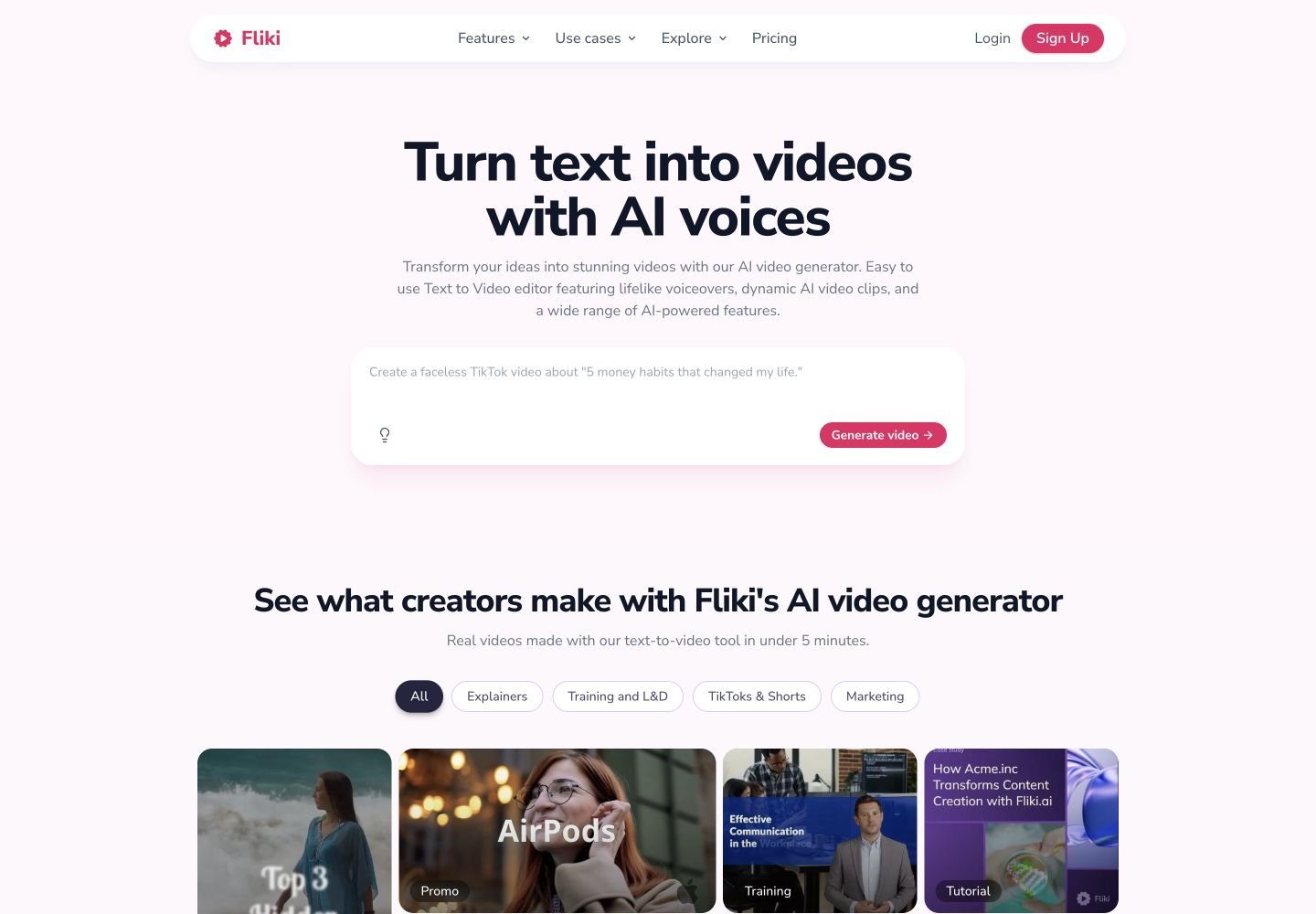
Fliki AI is a web-based AI video and voice platform for creating videos from prompts, scripts, blog URLs, PPT/PDF files, and recordings. Its official pages describe a workflow that writes or imports text, picks visuals, adds AI voiceover, music, and subtitles, then lets users edit scenes for social videos, explainers, training, marketing, education, e-commerce, and localization. Fliki also includes text to speech, blog to video, PPT to video, AI avatars, voice cloning, translation, dubbing, screen recording, thumbnails, stock assets, and AI video models inside one creator workspace.
Good fit
Who should use Fliki AI?
- Creators making faceless TikTok, Reels, YouTube Shorts, explainers, tutorials, and social videos from prompts, scripts, blog posts, or existing decks.
- Marketers and small teams that need publish-ready videos with AI voiceover, captions, stock visuals, music, templates, thumbnails, and simple editing in one web workspace.
- Educators, trainers, and L&D teams repurposing PowerPoint or Google Slides into narrated lessons, onboarding videos, internal training, or e-learning content.
- Global content teams that need voiceover, subtitles, translation, dubbing, and localization across 80+ languages and 100+ dialects.
- Solo creators and businesses that want AI avatars, voice cloning, recurring series, or screen-recording polish without filming or using a professional video editor.
Compare first
Who should compare alternatives first?
- Compare alternatives first if you need cinematic generative-video control. Fliki is strongest as a script-to-video, voiceover, avatar, localization, and editor workflow, while its AI video clip generation is plan-limited.
- Compare alternatives first if the Free plan must produce finished commercial content: Free includes 3 monthly credits, 720p exports, and a Fliki watermark.
- Compare alternatives first if you need longer exports on entry plans. Fliki lists 1-minute export length on Free, 15 minutes on Standard, and 40 minutes on Premium.
- Compare alternatives first if predictable credit budgeting is critical. Fliki deducts credits based on generated audio duration, video export duration, media source, avatars, and AI video clips.
- Compare alternatives first if you need to buy one-off extra credits at any time. Fliki says users can renew early after using more than 90% of credits rather than simply purchasing add-on credits.
- Compare alternatives first if team collaboration is the main requirement; Fliki FAQ says team subscriptions share credits, but team collaboration is still planned.
Use cases
Fliki AI use cases
- Turn prompts or topics into short-form faceless videos for TikTok, Instagram Reels, YouTube Shorts, and social campaigns.
- Convert scripts into narrated videos with AI voiceover, visuals, music, subtitles, and scene-by-scene editing.
- Repurpose blog posts and URLs into narrated videos with matching visuals and subtitles in 80+ languages.
- Convert PowerPoint or Google Slides presentations into narrated training, onboarding, lesson, or course videos.
- Create explainer videos, product promos, educational videos, tutorial clips, patient education, internal communication, and L&D content.
- Generate AI voiceovers for podcasts, monetized YouTube videos, ads, audiobooks, product videos, and social clips on paid plans.
- Translate, dub, subtitle, and localize video content for multilingual audiences across supported languages and dialects.
- Create talking-head videos with AI avatars, stock avatars, photo avatars, or digital twin-style presenter workflows.
- Record screen, webcam, or both, then polish tutorials and demos with filler-word removal, silence trimming, captions, b-roll, and music.
- Generate thumbnails, social carousels, presentations, and supporting creative assets inside the same creator workflow.
Capabilities
Fliki AI features
- Text-to-video turns ideas, scripts, blog posts, PPT/PDF files, and prompts into publish-ready videos with AI voiceover, visuals, music, and captions.
- Fliki provides 2,000+ AI voices across 80+ languages, with ultra-realistic and multilingual expressive voices on higher plans.
- AI voiceover supports royalty-free commercial use on paid plans, with MP3 export and high-quality WAV on paid plans.
- AI video generator combines leading models with Fliki voice, avatar, and editor layers, including models such as Google Veo 3.1, Kling 3 Pro, Sora, Seedance 2, LTX-2, PixVerse v5, and P-Video.
- Blog-to-video can turn a blog URL or article text into a narrated video with visuals and subtitles.
- PPT-to-video converts uploaded presentations into video scenes with AI narration, transitions, captions, and background music.
- AI avatars and digital twin workflows create talking-head videos and presenter content in supported languages.
- Voice cloning creates reusable custom voices, with higher plan limits for multiple custom voices and voice clones.
- Translation and dubbing can localize scripts, subtitles, voiceover, and video for supported languages and dialects.
- Editor workflows include templates, stock images, video clips, music assets, AI images, thumbnails, captions, share previews, pronunciation mapping, and brand kits on paid tiers.
- Screen recording and auto-edit workflows can record screen, webcam, and audio, then remove filler words and silences and add captions.
- Enterprise adds custom credits, bulk discounts, invoiced billing, API access, advanced AI models, personalized avatars, professional voice cloning, branded templates, and account management.
Pricing
Fliki AI pricing, plans, and credits
Fliki offers Free, Standard, Premium, and Enterprise plans. Free includes 3 credits per month, 300 voices across 80+ languages, 720p video, stock media, AI images, thumbnails, and a Fliki watermark. Standard adds 2,160 yearly credits, 1,000 voices with 500 ultra-realistic voices, 1080p exports, videos up to 15 minutes, translation to 80+ languages, voice cloning, limited stock avatars, AI Playground, and commercial rights. Premium adds 7,200 yearly credits, 2,000+ voices, 1,000+ ultra-realistic and multilingual expressive voices, videos up to 40 minutes, AI video clips, photo avatars, all AI avatars, multiple voice cloning, multiple brand kits, custom fonts, and priority support. Enterprise is custom priced with custom credits, bulk discounts, invoiced billing, API access, advanced AI models, personalized avatars, professional voice cloning, branded templates, team collaboration, and a dedicated account manager.
3 credits/mo
Beginners testing AI video creation.2,160 credits/year
Creators producing regular narrated videos and social content.7,200 credits/year
Professional creators, teams, and studios needing more credits and advanced AI media.Custom credits
Organizations needing custom usage, billing, API access, and brand workflows.Free plan and limits
Free forever with 3 credits per month, 300 voices across 80+ languages, 720p videos, stock media, AI images, thumbnails, and a Fliki watermark.
Credits and billing checks
- Confirm whether usage is metered by credits, minutes, generations, seats, or exports.
- Check whether free usage renews monthly or is a one-time allowance.
- Verify whether team seats share one usage pool or receive separate allowances.
- Review export limits, watermark rules, commercial rights, and cancellation terms before paying.
Verification notes
What to verify before choosing it
- Confirm current pricing and free plan limits on the official site.
- Test the output quality against your real workflow before scaling usage.
- Compare the tool against close competitors for pricing, features, and workflow fit.
Tradeoffs
Fliki AI strengths and tradeoffs
Pros
- Strong all-in-one workflow for turning written content into narrated social, explainer, training, and marketing videos.
- Large voice and language coverage makes Fliki useful for multilingual voiceover, dubbing, localization, and faceless content.
- Supports multiple source formats: idea, script, blog URL, PPT, PDF, product content, screen recording, and uploaded media.
- Paid plans remove the Free watermark and add commercial rights, longer exports, higher voice quality, voice cloning, avatars, and brand tools.
Cons
- Free exports are limited and include a Fliki watermark.
- Credit usage can vary by generation duration, export length, avatars, AI video clips, and edits.
- Fliki is less focused on advanced cinematic controls than dedicated AI video generators built around camera, motion, and shot-level prompting.
- Team subscriptions can share credits, but Fliki FAQ says team collaboration is still planned.
Community evidence
Reddit and community signals
Community discussion is mixed-positive: creators like Fliki for prompt-to-scenes workflows, stock media replacement, subtitles, AI voices, faceless videos, and beginner-friendly editing, while concerns focus on credit limits, Free-plan watermarking, voice inflection, audio import flexibility, and whether all-in-one tools justify subscription cost.
Sentiment: Mixed-positive: strong for fast faceless and narrated content workflows; weaker for advanced video generation control, predictable credit planning, and professional timeline editing.
Next comparisons
Best alternatives and related comparisons
Related comparisons
Recommendation
Should you use Fliki AI?
Fliki AI is worth shortlisting if your main goal is turning text, scripts, blogs, slides, or recordings into narrated videos for social media, marketing, education, training, and localization. It is strongest when voiceover, captions, templates, stock media, avatars, translation, and simple editing matter more than cinematic shot control. Compare Runway, Kling, Pika, Luma, Hailuo, Google Veo, or PixVerse first if you mainly need advanced generative-video quality, camera motion, character consistency, or longer model-native AI clips rather than an all-in-one script-to-video workflow.
Questions
FAQs of Fliki AI
What does Fliki AI do?
Fliki AI turns ideas, scripts, blog posts, PPT files, and other written content into videos with AI voiceover, visuals, music, subtitles, and editing tools. It also supports text to speech, AI avatars, translation, dubbing, screen recording, thumbnails, and AI video clips.
Is Fliki AI free?
Yes. Fliki has a Free plan with 3 credits per month, 300 voices across 80+ languages, 720p video exports, stock media, AI images, and thumbnails. Free video exports include a Fliki watermark.
How much does Fliki AI cost?
Fliki lists Free, Standard, Premium, and Enterprise plans. The pricing page says Standard includes 2,160 yearly credits and Premium includes 7,200 yearly credits; official Fliki comparison pages list Standard at $28 per month and Premium at $88 per month, while Enterprise is custom priced.
How long can Fliki videos be?
Fliki pricing details list export length as 1 minute on Free, 15 minutes on Standard, and 40 minutes on Premium. Its pricing FAQ also notes that actual credit usage depends on generation length and edits.
Can Fliki AI videos be used commercially?
Fliki says paid plans include commercial rights, and its voiceover page says paid-plan voiceovers are royalty-free and commercially usable for podcasts, monetized YouTube content, ads, audiobooks, and product videos. Free exports include a watermark.
Which languages does Fliki support?
Fliki says it supports 80+ languages and 100+ dialects, with 2,000+ voices on higher tiers and hundreds of voices available on the Free plan.